
The app for hiring a contractor — start to finish
Create a project, upload photos, invite licensed pros, and compare their bids in one place. Below are real screens from HomeHelp showing exactly how it works.
Create the project
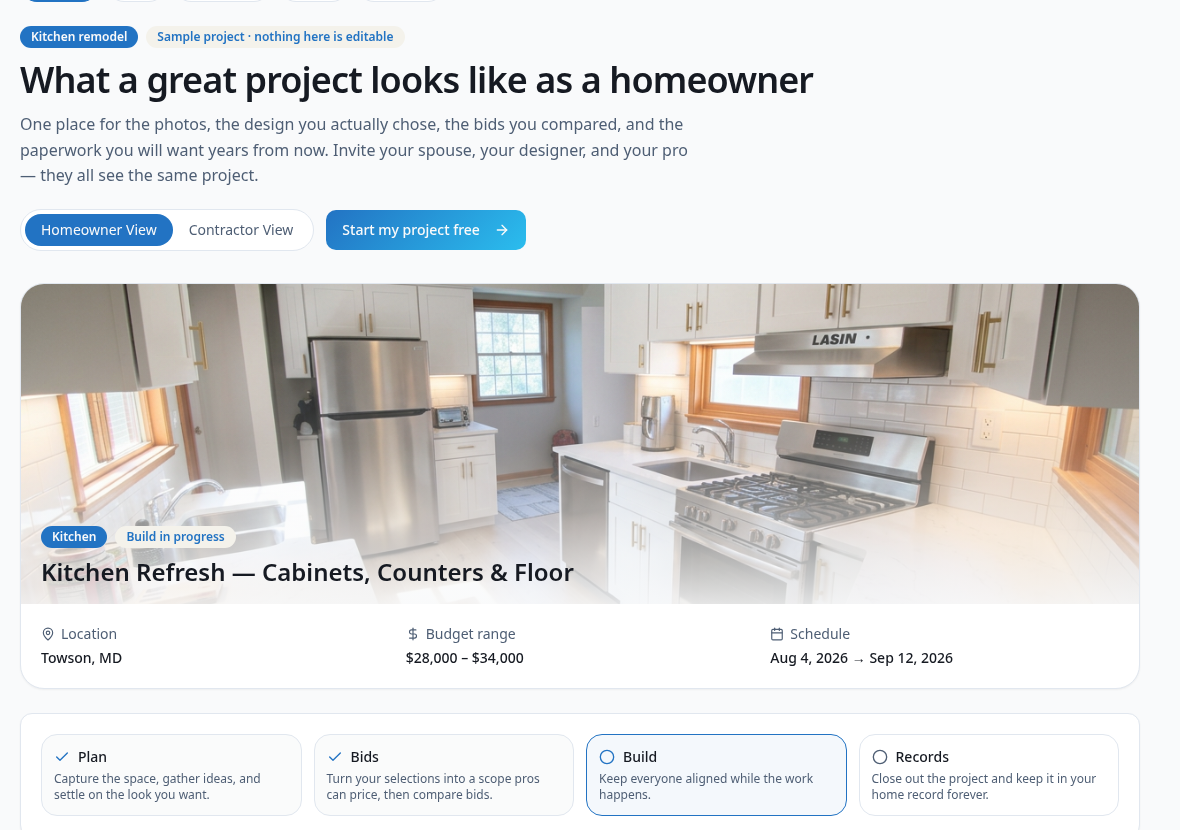
Name the project, pick the space or trade, set a budget range and target dates. Everything you add lives in one project room — private until you decide to share it.
Upload photos and design ideas
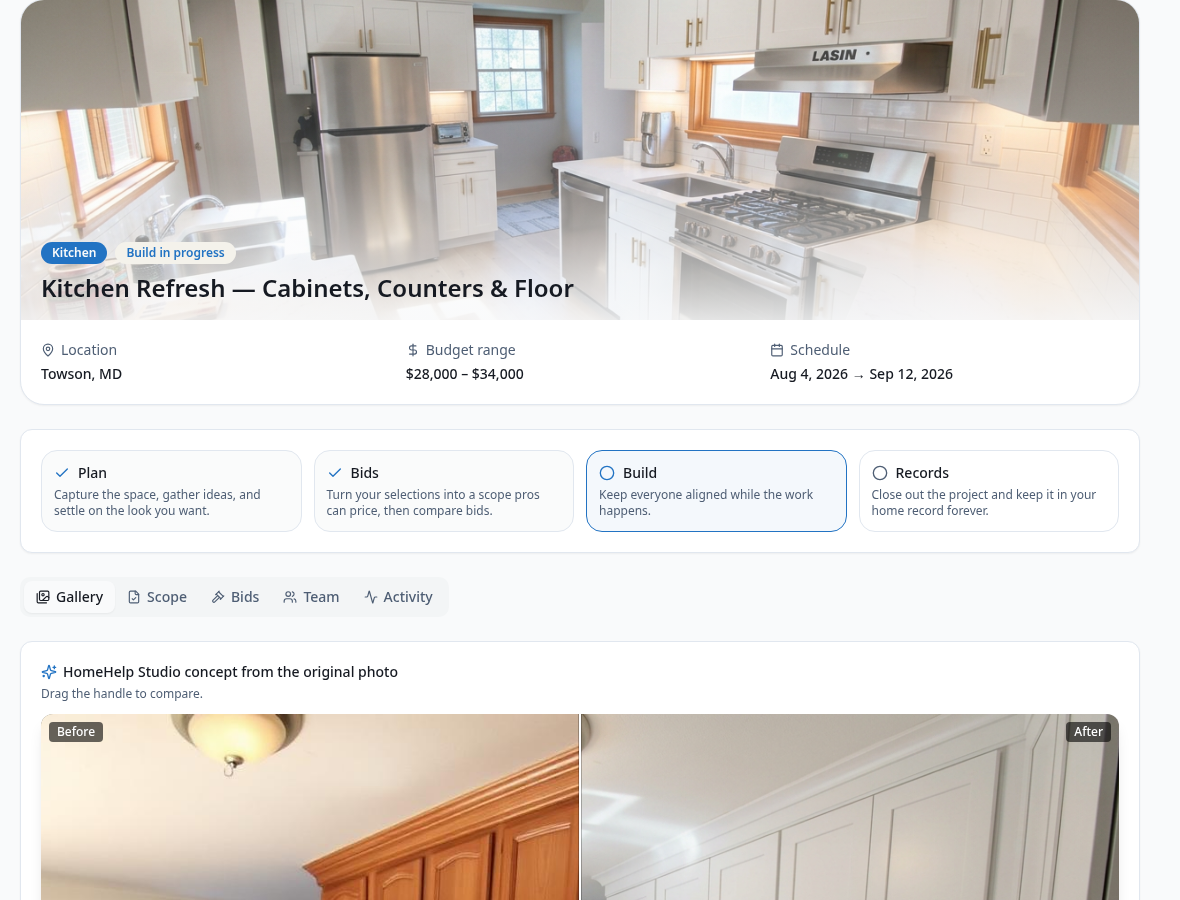
Add photos of the space from your phone, then use HomeHelp Studio to generate a concept from the original photo. Contractors bid on what you actually want, not a vague description.
Find and invite contractors
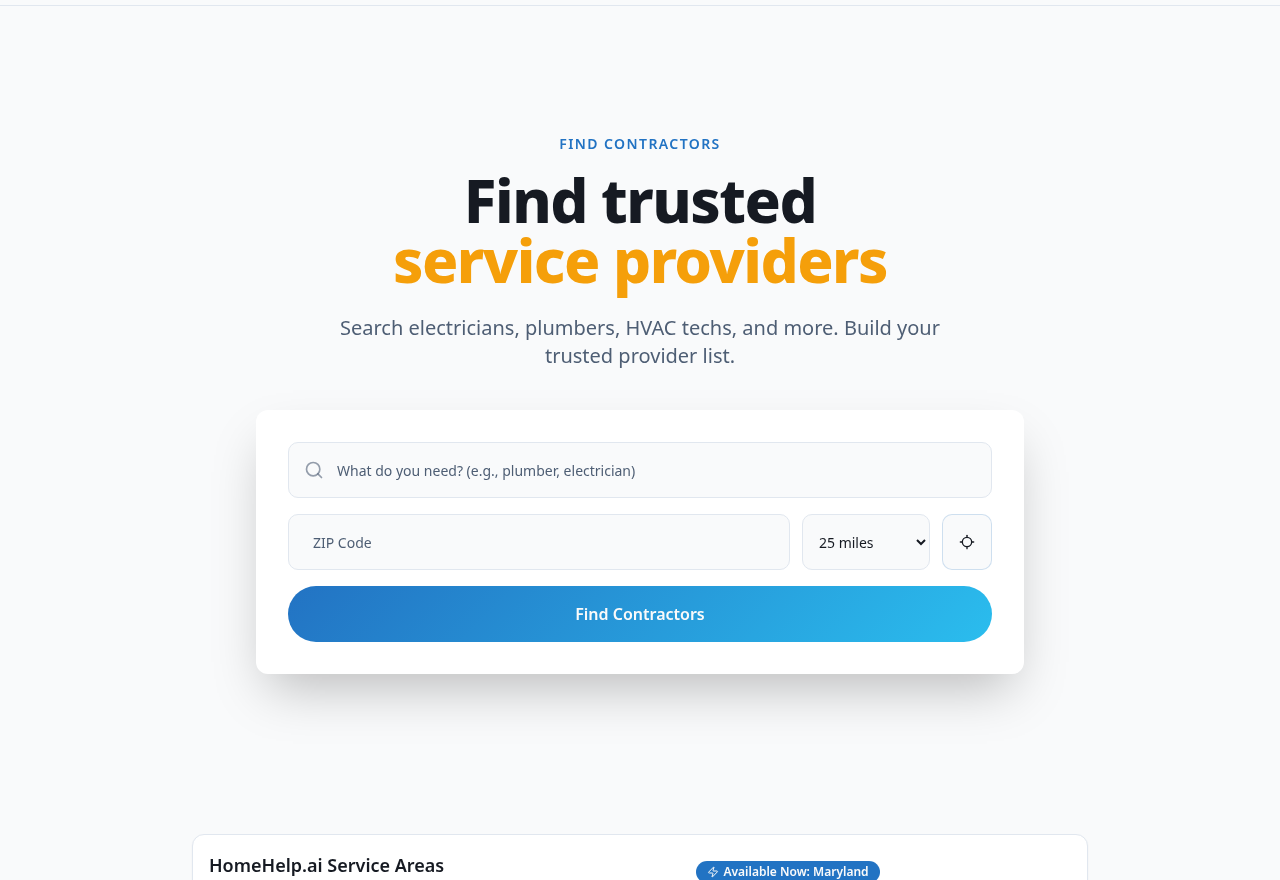
Search licensed pros by trade and ZIP code, review their profile, and invite the ones you like to your project. Or flip the project open to bids so verified paid pros can find it.
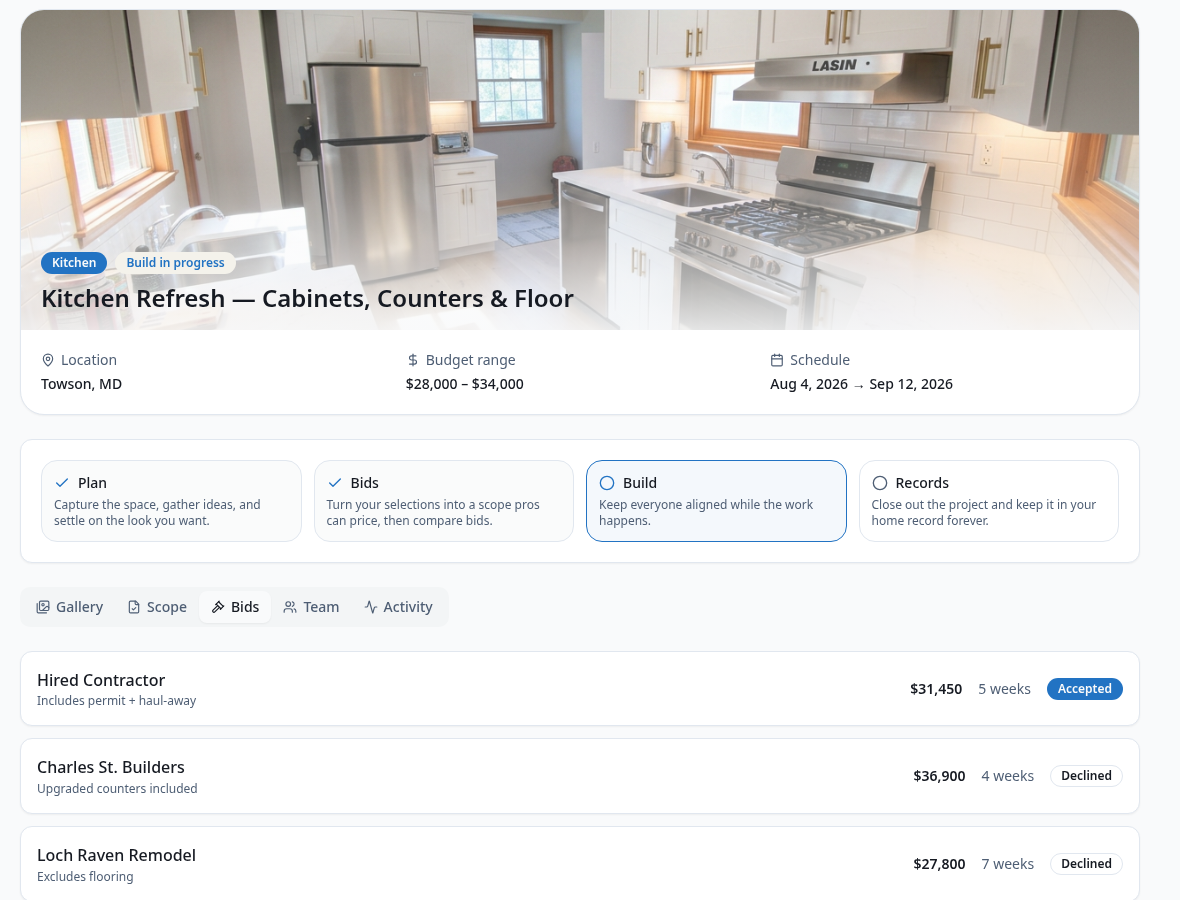
Compare bids side by side
Each bid shows price, timeline, and what is or isn't included. Accept the one that fits, decline the rest, and keep the full history attached to the project.
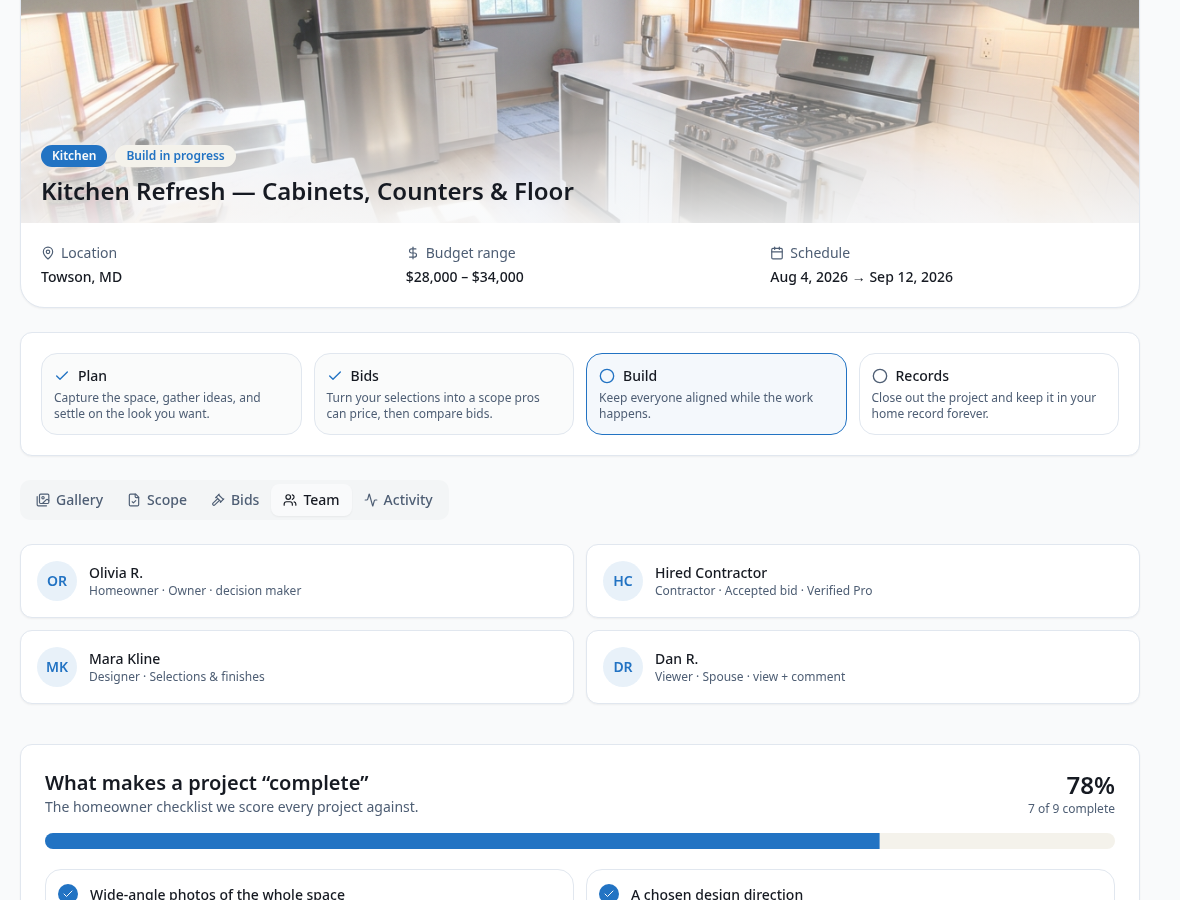
Work together in one thread
Your spouse, your designer, and your pro all see the same project. Chat, photos, documents, and decisions stay in one place instead of scattered across texts and email.
Why homeowners use HomeHelp instead of a lead site
You keep control of your project, your contact details, and your records.
Your details stay private
Open projects show scope, photos, budget range, and general area — not your name, phone, email, or exact address.
No lead-selling spam
Your project isn't resold to a dozen call centers. You choose who gets in, and you can close bidding whenever you want.
Records you keep
Photos, bids, contracts, permits, and invoices stay in your home record long after the job is finished.
Works on your phone
Snap photos on site, review a bid from the couch, or install HomeHelp as an app on your home screen.
Frequently asked questions
Is the HomeHelp contractor hiring app free for homeowners?
Yes. Creating a project, uploading photos, inviting contractors, and receiving bids are free for homeowners. Paid plans add advanced AI design tools, deeper home records, and priority support.
How do I get contractors to bid on my project?
Two ways. You can search HomeHelp for licensed pros in your area and invite them directly to your project, or you can switch the project to Open to bids so verified paid contractors browsing the marketplace can submit a proposal.
How many photos can I upload to a project?
Upload as many photos as the project needs — before shots, problem areas, inspiration images, and AI concepts generated in HomeHelp Studio. Photos are attached to the project so every contractor sees the same information.
Will contractors see my address and phone number?
No. Until you invite a contractor or accept a bid, pros only see a masked preview of your project: title, scope, photos, budget range, and general area.
Can I share the project with my spouse or designer?
Yes. Invite anyone by email, or send a secure project link. You control whether each person can view, comment, or edit.
What happens after I accept a bid?
The project moves into the Build stage. The hired contractor joins the project room, and estimates, invoices, documents, and photos are tracked there until you close the project out into your home records.
Post your project and get bids
Free for homeowners. Add photos, invite pros, and compare bids in one project room.